Olive & Thyme Seasonal food. Good company. | |
HERE’S TO YOU Another year. Something sweet. | |
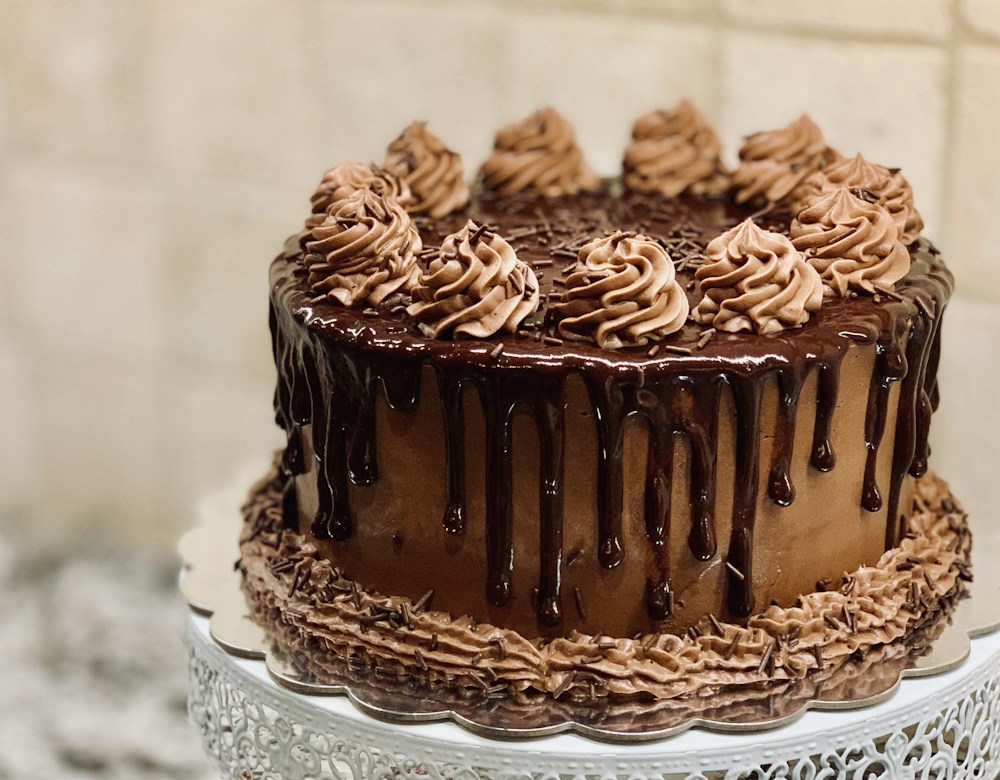 | |
Our signature chocolate cake | |
Your birthday deserves something delicious. Celebrate with Our signature chocolate cake and your favorite people at Olive & Thyme. Your birthday dessert is on us with any main Let us know you’re celebrating when you book. We’ll make it special.
| |
Olive & Thyme [Add your restaurant’s mailing address]Unsubscribe link: add this in your sending platform |
AN EDITABLE RESTAURANT EMAIL
Restaurant Birthday Email Template
Invite guests to celebrate with an editable birthday email. Start with a dessert offer, replace the sample details with your own, and export the design as HTML.
Content updated
Customize this templateNo account needed. Edit in your browser and export HTML.
What should this email include?
A restaurant birthday email should explain the birthday treat, who can redeem it, when it is valid, and how to book or claim it. Include purchase requirements and other conditions alongside the offer, so guests know what to expect.
Subject line ideas
- A birthday treat awaits at [Restaurant]
- Celebrate your birthday with [Birthday treat]
- Your birthday table is waiting at [Restaurant]
Replace bracketed details with your restaurant’s information.
How to customize this template
Choose a real birthday treat
Replace the sample chocolate cake with the treat your restaurant offers. State any required purchase, such as one main course.
Explain how to redeem it
Add the validity dates and any booking, code, or identification requirements. Make clear whether the offer applies to the birthday guest or the whole table.
Prepare your campaign
Add the booking link and review the subject line, copy, and mobile preview. Export HTML and use your sending platform to select recipients and schedule delivery.
Example email
Olive & Thyme is a sample restaurant. Replace the sample dish and offer before sending.
SubjectA birthday treat awaits at Olive & Thyme
PreviewYour birthday dessert is on us with any main
Questions about this template
Can DineLetter automatically send birthday emails?
No. DineLetter creates the email design and copy. Birthday dates, audience selection, scheduling, and delivery are managed in your email platform.
Can I change the dessert offer?
Yes. Replace the dish, offer, headline, and button text in the editor. Use only an offer your restaurant can honor and include its conditions.
Can I personalize the email for each guest?
You can edit the text in DineLetter. For recipient-specific names, add your sending platform’s supported merge tags and test them there before sending.
How do I send the exported HTML?
Use an email platform that supports HTML import. Add your restaurant’s mailing address and the platform’s unsubscribe link, check image URLs and links, and send a test. Email clients can render HTML differently; DineLetter does not certify compatibility with every client.
What should I check before sending?
Use an email platform that supports custom HTML import. Availability can depend on your platform and plan; check its current documentation. For example, see Mailchimp’s official HTML import guide.
Email clients support HTML differently, so preview and send a test through your platform. Mailchimp’s HTML email limitations explains why rendering can vary. These references are guidance, not a certification of DineLetter exports or an affiliation.
Make this email your own
Change the copy, colors, heading font, and image in the editor. Preview on desktop and mobile, then export HTML or copy the text.
Customize this template